Brand Guidelines: The Practical Guide We Hand to New Clients
Brand guidelines should make it easy for anyone to create something on brand in minutes. Too many end up as beautiful PDFs nobody opens. Here is how we build guidelines that get used every day.
Key takeaways
- Guidelines exist to help people make decisions quickly. Clarity and examples matter more than polish.
- Cover strategy, logo, colour, typography, imagery, voice and ready-made templates. Templates do most of the real work.
- Show correct and incorrect examples for everything. People copy examples, not rules.
- Keep guidelines in a living format that is easy to update and share, not a locked PDF.
- Roll them out with a short session and a named owner, or they will be ignored within a month.
01What brand guidelines are for
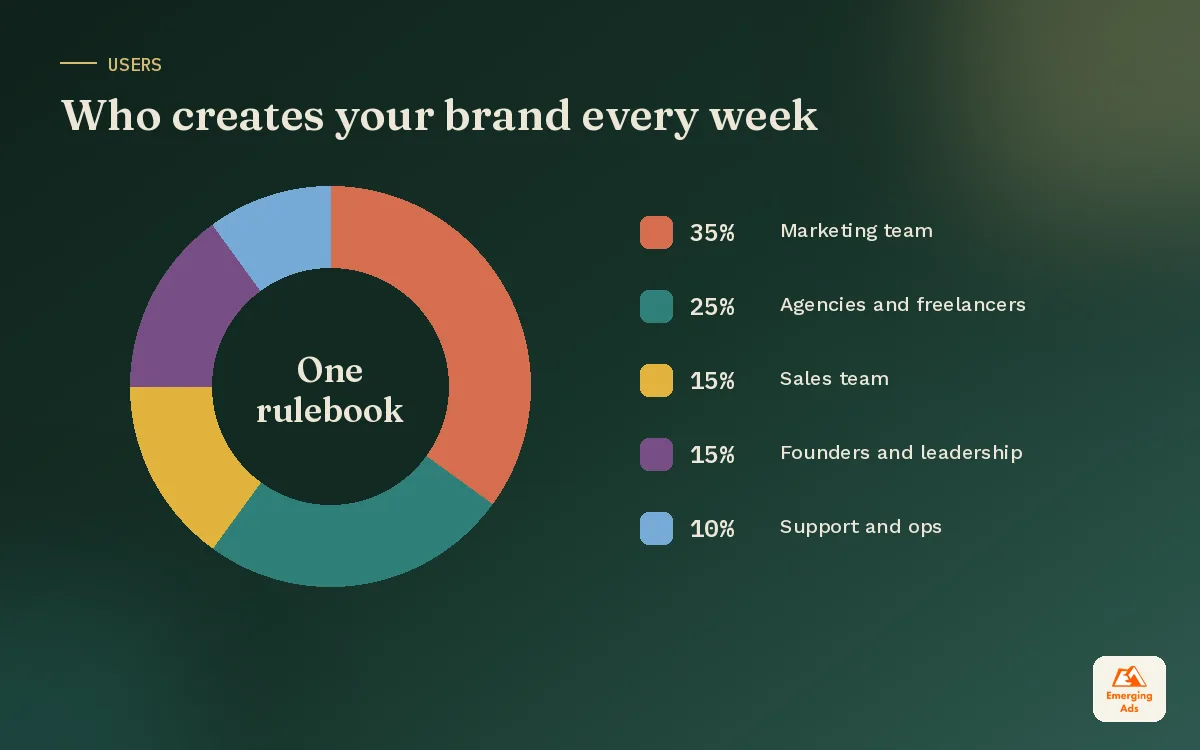
Brand guidelines are the rulebook that keeps your brand recognisable no matter who is creating the content. Designers, marketers, agencies, freelancers, sales staff and new hires all touch your brand. Without shared rules, each of them makes slightly different choices, and over time the brand drifts into something nobody planned.
The practical goal is speed with consistency. A good set of guidelines lets someone produce an on-brand social post, email or slide in minutes, without asking for approval on every detail. That is especially valuable once you run paid media at scale, where fresh creative is needed every week and inconsistency makes ads less recognisable.
Guidelines only work if they sit on top of clear decisions. Start with your brand strategy and logo, then document how everything should be used.
02What to include in brand guidelines
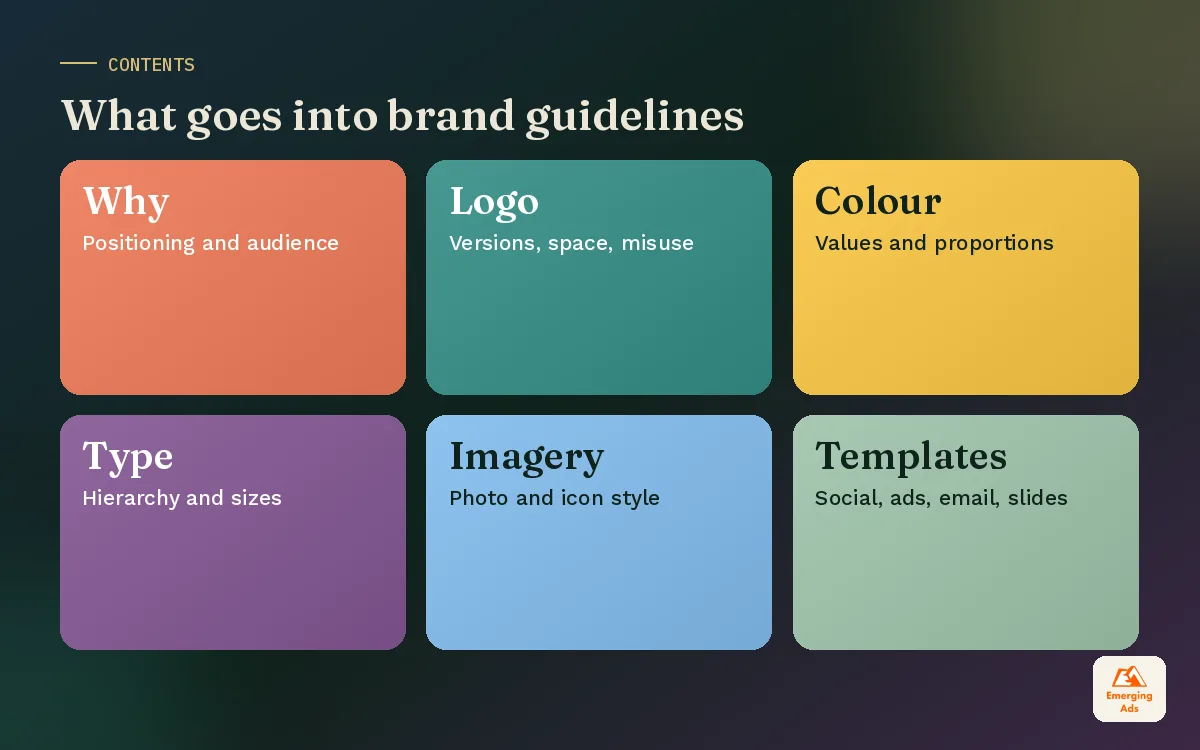
Every brand is different, but these sections cover what most growing businesses need. Keep each one short and example-heavy.
1. Brand foundations
One page summarising your positioning, audience, promise and personality. This is the why behind every rule that follows. People follow rules they understand.
2. Logo usage
All logo versions, minimum sizes, clear space, approved colour versions and a page of what not to do: stretching, recolouring, adding effects, placing on busy backgrounds.
3. Colour palette
Primary, secondary and neutral colours with HEX, RGB and CMYK values, plus guidance on proportions. Include accessible text and background combinations so content stays readable.
4. Typography
Headline and body typefaces, weights, sizes for web and print, line spacing, and web-safe fallbacks. Note which fonts are licensed for which uses.
5. Imagery and illustration
The photography style, lighting, subjects, composition and editing approach, with good and bad examples. If you use illustration or icons, define the style and line weight.
6. Voice and messaging
Your voice traits, a do and do not table, key messages and a short word list. Link it to your full brand voice guide if you have one.
7. Templates and applications
Ready-to-use templates for the things people make most: social posts, stories, ads, email headers, presentations and documents. This is the most used part of any guideline.
03A brand guidelines template, page by page
For most small and mid-sized brands, this structure lands at 15 to 25 pages. Larger organisations extend it with sub-brands, packaging and environmental design.
| Page | Section | What goes on it |
|---|---|---|
| 1 to 2 | Introduction and foundations | Purpose, positioning, audience, personality in brief |
| 3 to 6 | Logo | Versions, clear space, sizing, colour versions, misuse examples |
| 7 to 8 | Colour | Palette values, proportions, accessible pairings |
| 9 to 10 | Typography | Typefaces, hierarchy, web and print sizes, fallbacks |
| 11 to 13 | Imagery | Photography style, illustration, icons, good and bad examples |
| 14 to 15 | Voice | Traits, do and do not, key messages, word list |
| 16 to 22 | Applications | Social, ads, email, web, slides, documents, signage |
| 23 | Contacts and files | Who owns the brand, where assets live, how to request help |
04Templates do most of the real work
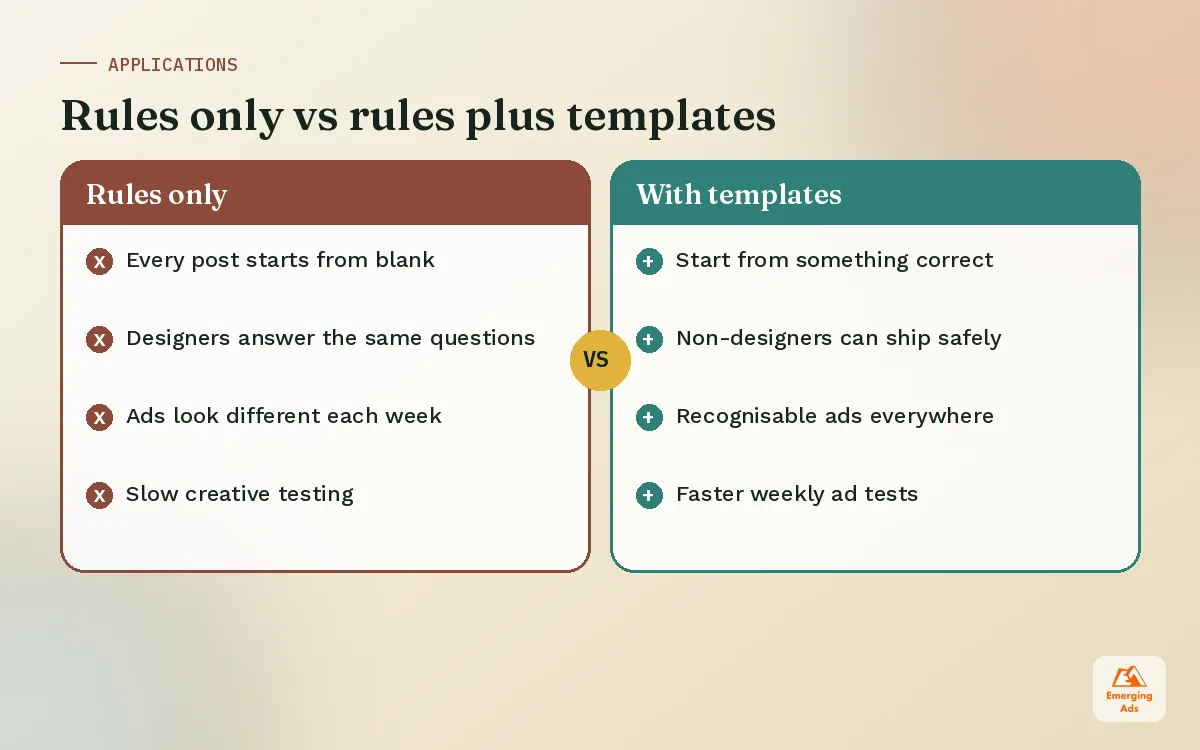
Rules tell people what to avoid. Templates show them what to do. In our experience, well-built templates prevent more off-brand content than any number of rules, because people can start from something correct.
- Social templates for feed posts, carousels and stories, with fixed layouts and flexible text areas. We often set these up as a Canva brand kit so non-designers can use them safely.
- Ad templates in the key sizes for Meta, TikTok and display, with safe zones marked. These keep creative testing fast without losing consistency across Meta ads.
- Email templates with header, footer, button styles and modules for your email marketing platform.
- Presentation and document templates for sales decks, proposals and reports.
- Web components documented in a Figma design system so your website and landing pages stay consistent as they grow.
The more your team produces, the more templates pay off. A brand running weekly ad tests and daily social posts should treat templates as essential infrastructure, not a nice extra. This is a core part of our social media management setup for new clients.
05PDF, website or design system: choosing the format
The format matters because it decides whether the guidelines stay current.
| Format | Strengths | Weaknesses | Best for |
|---|---|---|---|
| PDF brand book | Easy to share, looks polished | Goes out of date, hard to search, versions multiply | Small teams, simple brands |
| Online guidelines page | Always current, searchable, easy to link | Needs a bit of setup and an owner | Growing teams and agencies |
| Design system | Components linked to real design files and code | More effort to build and maintain | Brands with product, app or large websites |
Many clients start with a concise PDF and move to an online page once more people are creating content. Whatever you choose, keep one source of truth and delete old versions.
06How to roll out brand guidelines so people use them
Guidelines fail at rollout more often than at design. A shared link in a busy channel is not a rollout.
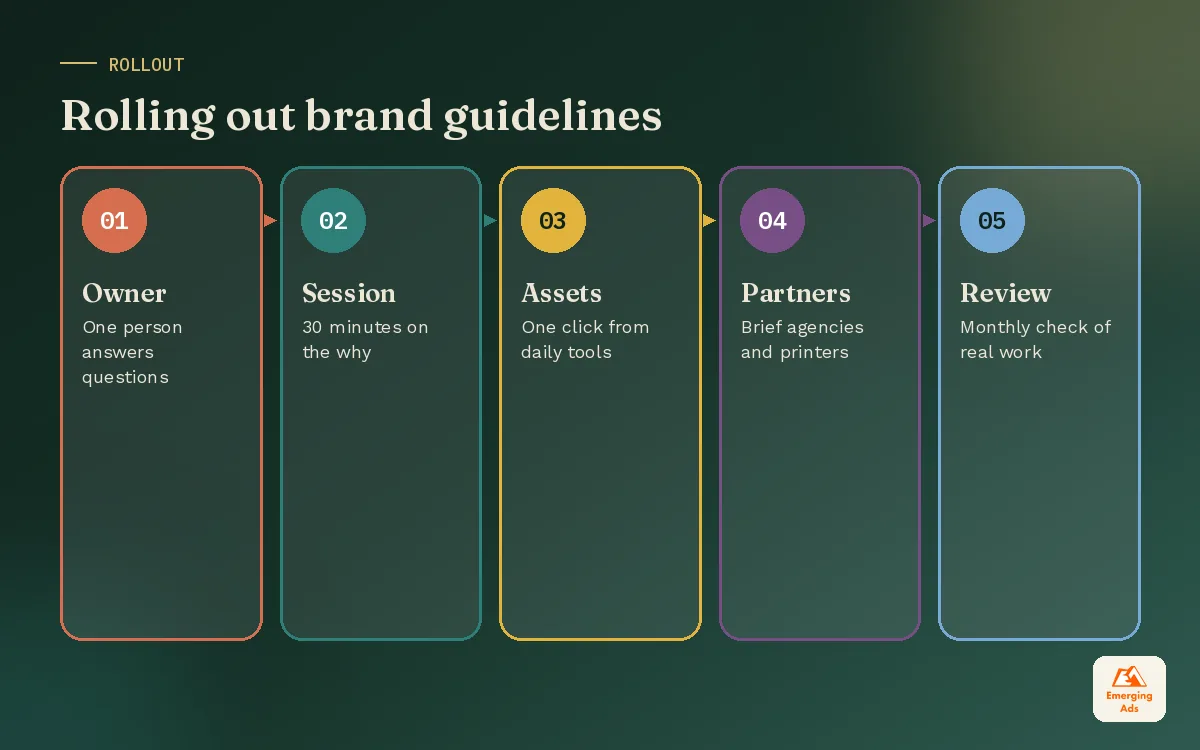
- Name an owner. One person answers questions and approves exceptions.
- Run a short session. Thirty minutes walking the team through the why and the templates beats a long document.
- Put assets where people work. Logos, fonts and templates should be one click away in the tools people already use.
- Brief every partner. Agencies, freelancers, printers and developers all need the guidelines before they start.
- Review work regularly. Check a sample of ads, posts and emails each month and share examples of good work.
- Update, do not replace. Add examples and fix unclear sections as questions come up.
07Keeping your brand consistent across channels
Consistency is not about making everything identical. It is about making everything recognisable. Your TikTok videos should feel looser than your website, but a viewer should still sense it is the same brand.
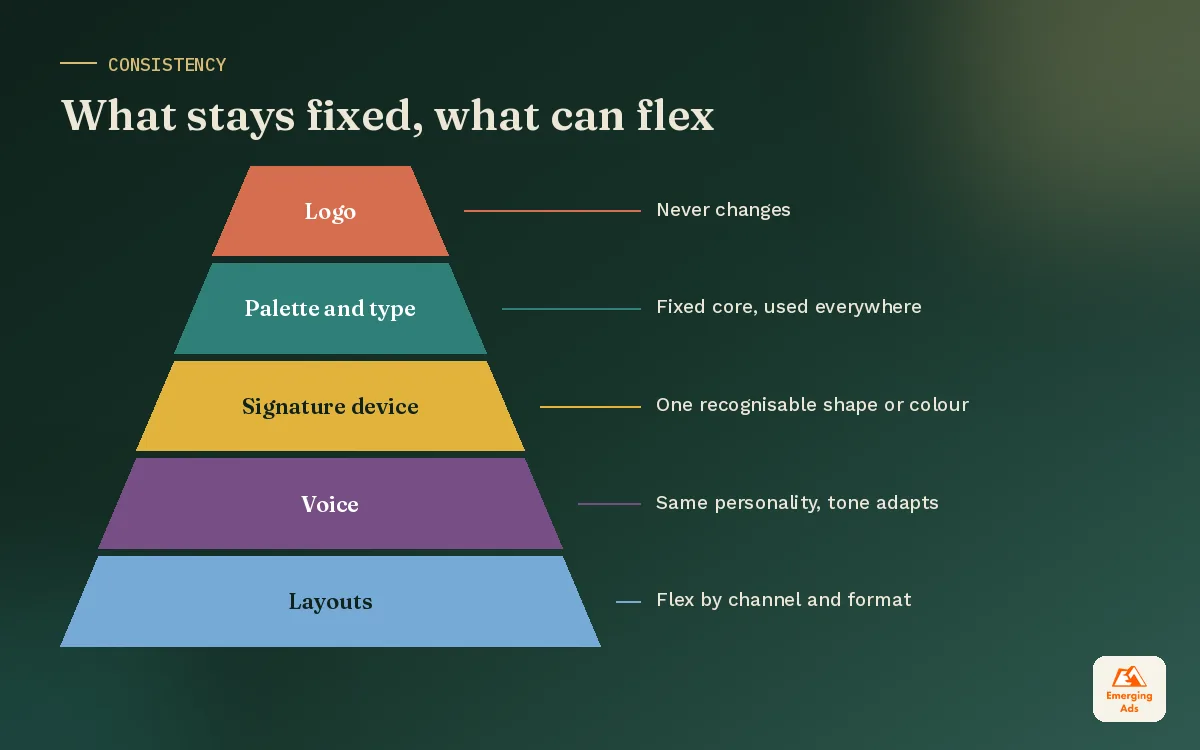
- Fixed elements: logo, colour palette, core typography and voice traits. These rarely change.
- Flexible elements: layouts, photography subjects, tone and pacing. These adapt to each channel.
- Signature elements: one or two distinctive devices, such as a shape, a colour block or a type treatment, used everywhere. These build recognition fastest.
Video deserves its own page in the guidelines, covering captions, colour grading, logo placement and intro rules. Our brand video production guide covers how to plan footage that fits those rules. The same principle applies to your website: a consistent website design reinforces every ad that sends traffic to it.
08Brand guidelines by business size
The right depth depends on how many people create content and how many places your brand appears. Over-building guidelines for a small team wastes money. Under-building them for a large one creates chaos.
| Stage | What you need | Format |
|---|---|---|
| Founder-led, 1 to 5 people | Logo, colours, fonts, voice basics, 5 to 10 social templates | Short PDF or one-page doc plus a Canva kit |
| Growing team, 5 to 30 people | Full guidelines, ad and email templates, imagery rules, partner briefing | Online guidelines page, shared asset library |
| Multi-team or multi-market | Everything above plus sub-brands, packaging, signage, governance | Design system linked to design files and code |
Start with what you need now and add sections as new channels and people come in. Guidelines grow best in response to real questions rather than imagined ones.
Industry-specific additions
- Healthcare and finance: approved claims, disclaimers and review steps, alongside the visual rules.
- Food and hospitality: menu design, food photography style and in-venue signage.
- Ecommerce: product photography specs, marketplace listing images and packaging.
- B2B and SaaS: product screenshots, diagrams, presentation layouts and case study formats.
09How brand guidelines connect to your website and ads
Guidelines are often treated as a design deliverable, but their biggest payoff shows up in performance marketing. When your ads, landing pages and emails share the same visual and verbal cues, people recognise you faster and trust the click.
In practice, that means documenting a few things most brand books skip:
- Ad safe zones for each placement, so logos and text are never covered by platform buttons.
- Rules for text on images, including minimum sizes that stay readable on phones.
- Landing page components, such as hero layouts, proof sections and buttons, so every campaign page feels familiar. A consistent WordPress website design makes this much easier to maintain.
- Email modules and button styles that match the website.
- How offers, prices and discounts are displayed, so promotions never look off brand.
When these are defined, your ad team can test more variations each week without asking design for approval each time. Speed and consistency stop being a trade-off.
10Brand guideline mistakes to avoid
- Too long. Eighty pages of rules guarantees nobody reads page three.
- Too vague. “Use bright, friendly imagery” means different things to everyone. Show examples.
- No templates. Rules without starting points lead to constant reinvention.
- Built for print only. Digital placements, video and social need their own guidance.
- No owner. Without an owner, guidelines fall out of date and exceptions pile up.
- Frozen in time. Brands evolve. Guidelines should evolve with them, carefully.
If your brand has already drifted, a guidelines project is a good moment to tidy things up without a full rebrand. Our brand identity design and branding and content teams build guidelines, templates and design systems together, so the rules and the tools arrive at the same time. See examples of our work on the success stories page, or start with a free audit of how consistent your brand looks today. You can also browse all EmergingAds services.
Frequently asked questions
Straight answers to what clients ask us most about brand guidelines.
What are brand guidelines?
What should be included in brand guidelines?
How long should brand guidelines be?
What is the difference between brand guidelines and a style guide?
How much do brand guidelines cost?
Do small businesses need brand guidelines?
Should brand guidelines be a PDF or a website?
How often should brand guidelines be updated?
Who should own the brand guidelines?
What is a brand book?
Can brand guidelines help with ad performance?
Is your brand looking different on every channel?
We will audit your ads, website, social and email side by side, then show you the gaps and the templates that would close them fastest.
Book your free audit